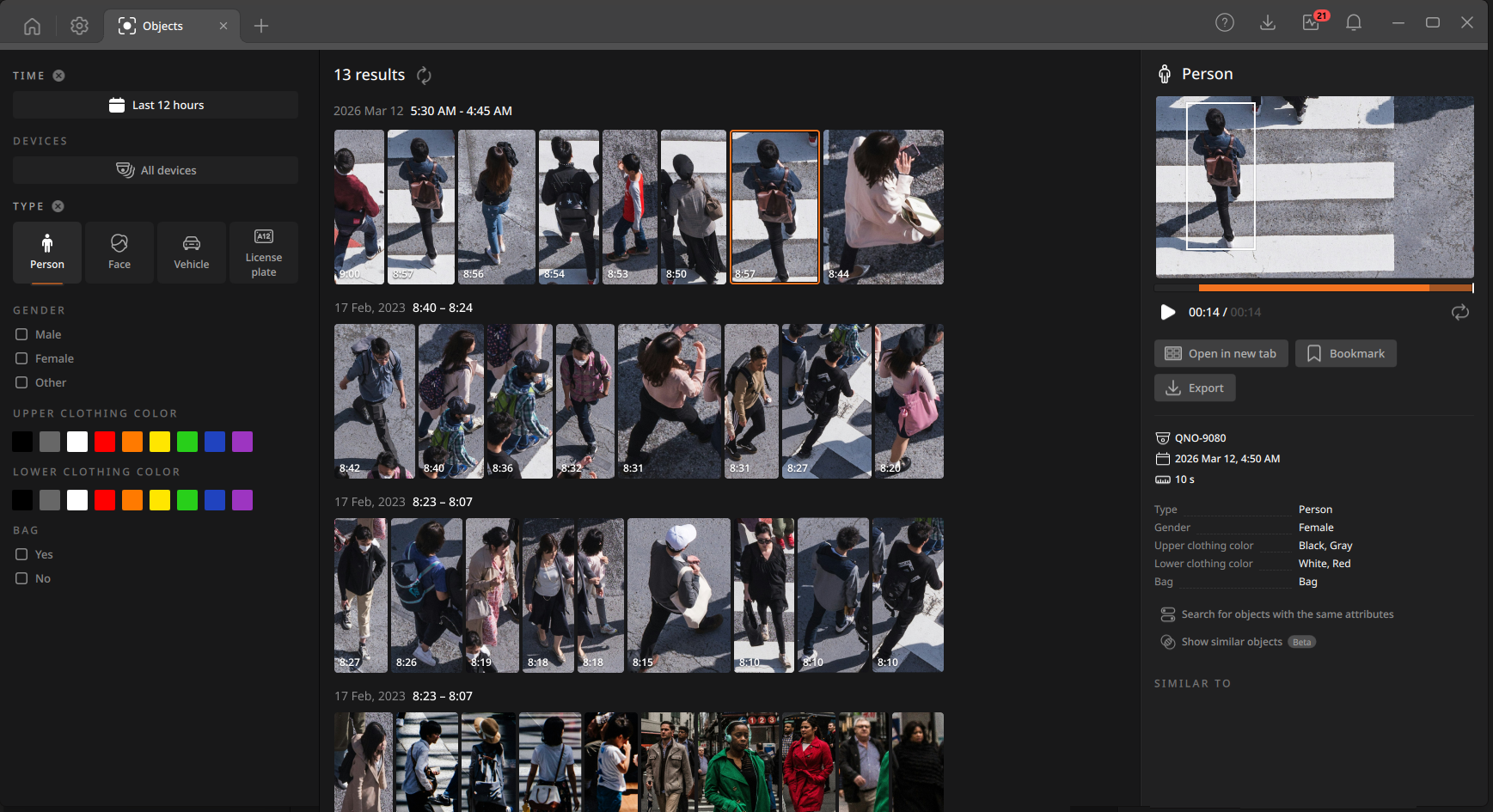
Objects tab layout
The Objects tab consists of a Filter panel, Results panel, and Details panel. Select filter conditions in the Filter panel. The Results panel displays a list of objects categorized by the selected filter conditions. The Details panel displays detailed information about the object selected in the Results panel. The available filter options in the lower section vary depending on the selected object type.