Viewing bookmarks
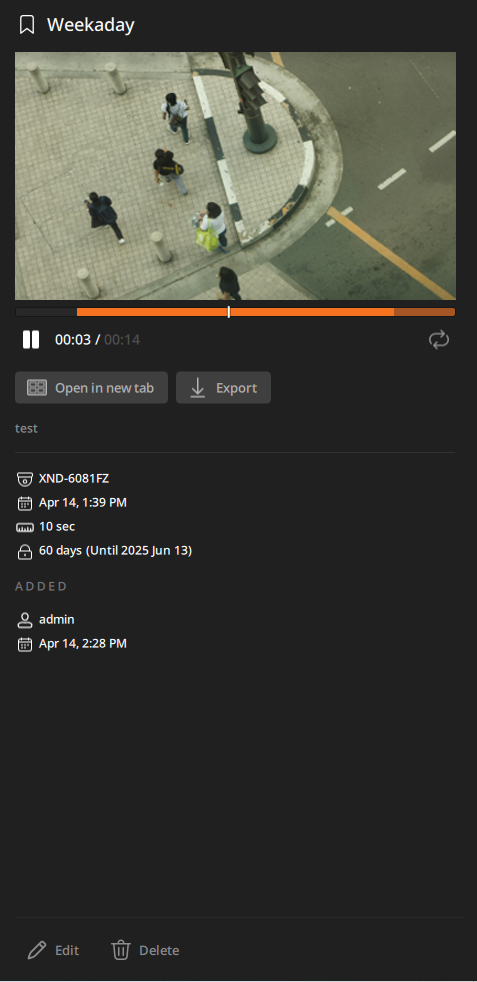
Double-click a bookmark in the Bookmarks log panel to play the video and save it as a file in the Details panel.
- Playback bar: Indicates the playback position of recorded videos.
 /
/ : Play or pause the video.
 : Repeat a video playback.
- Open in new tab: Play the video in a new tab. For more information on video playback, see Playing the video.
- Export: Export the current video as a video file on your PC. The file will be saved in the Videos folder of the path you have set in Client settings. For more information on saving videos, see Exporting the video as a file.
- If the length of the video you are trying to save is less than 5 seconds, the file may not be saved correctly.
- Device name: Displays the name of the device where the event occurred.
- Bookmark time: Displays the start time of the bookmark.
- Bookmark video length: Displays the total length of the bookmark in seconds.
- Bookmark retention period: Displays the retention period set for the bookmark.
- Added: Displays the username and timestamp of the user who bookmarked.