
Viewing the list of event rules
By clicking Rules in the menu, you can view a complete list of added event rules. In the Rules page, when you select a rule card, the rule card (Under the WHEN section) and the event trigger card (Under the DO section) will be displayed.
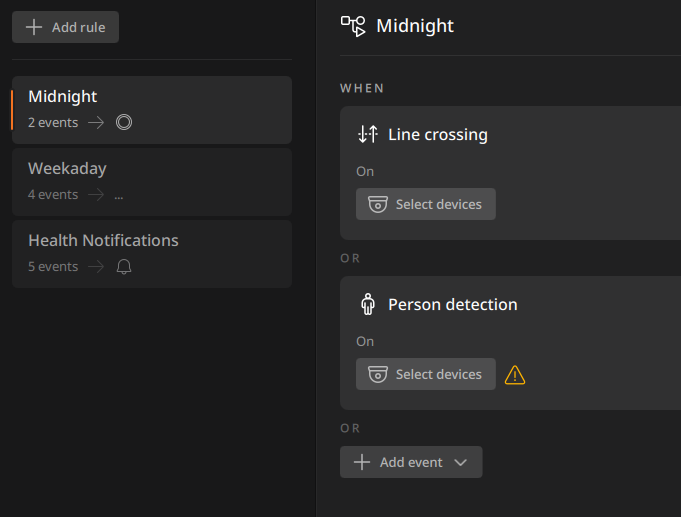
- When a card represents an active rule, the card displays the rule’s name, trigger and action settings. When a card represents an inactive rule, it displays a message Disabled.
- If the event rule requires verification for trigger or action settings, a warning icon
 will be displayed. This warning icon may appear in a rule card, event trigger card, or action card.
 - Warning icon for event triggers:
- If a detection area, excluding area, or virtual line is not set for the event trigger.
- If the device for the selected event trigger is not chosen.
- If the device for the selected event trigger has been deleted.
- Warning icon for event actions:
- If the device or user for the selected event action is not selected.
- If an event action is set but no execution item is selected, such as opening a layout.
- If an event action is set but no user is selected.
- Warning icon for event triggers:
Note: Health notifications rules are system event rules for monitoring system status. These are automatically created when BLAZE is installed and can be modified or deleted.
- If an error or issue occurs in BLAZE, a notification will be sent to all users.