
Viewing the list of servers
Click Settings > Servers to open the Server settings page. View the entire list of BLAZE servers and select a server from the list to adjust its settings.
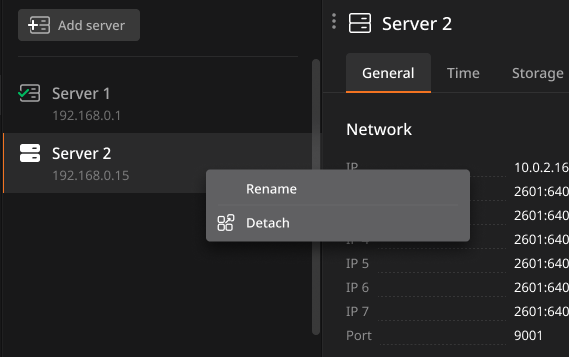
- Currently connected servers are displayed at the top of the list. Remaining servers are automatically sorted alphabetically by name.
- A maximum of 50 servers can be displayed in the server list.
Tip: Right-click a server to rename or detach it.
Understanding server status icons
The icon displayed next to each server in the list indicates the status of the server connected to BLAZE.
 : A server registered in the system where the client is connected
 : A server registered in the system that is offline
 : A server registered in the system that is online