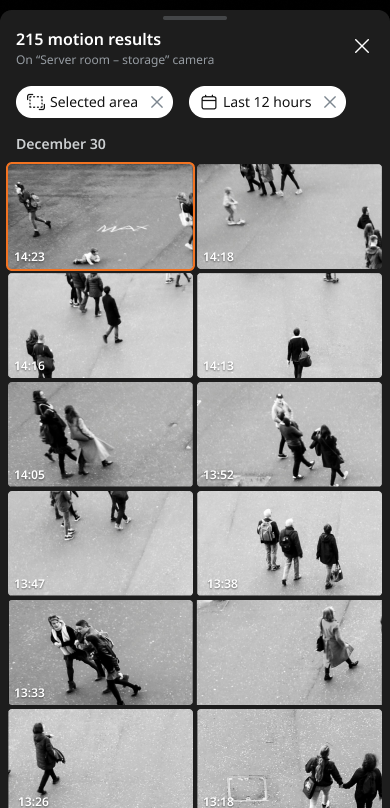
Searching for motion
Search for motion events in specific areas during real-time monitoring. Play back the recorded events and save them as video files.
Note: Motion search is only available when the motion detection feature is enabled.
To search for motion
- Tap Devices at the bottom of the mobile client.
- Select the device to monitor from the list of devices.
- Tap
 at the center of the page to display the tab panel. Tap Motion in the tab panel.
- Tap
 at the top-right to create a region of interest (ROI). To create an ROI, tap and drag anywhere on the video to search for motion in the set area.
- Tap
- Once the motion results are displayed, select the desired motion to play.