
Deactivating a license
The Premium license can be deactivated and transferred to another server or system.
Once deactivated, the license is unlinked from the original server and can be reactivated and used on any system, including other servers.
Note:
- If the licensed server is malfunctioning and cannot be deactivated, please contact the technical support team for assistance.
- License deactivation is only possible when the client PC is connected to the internet.
To deactivate a license
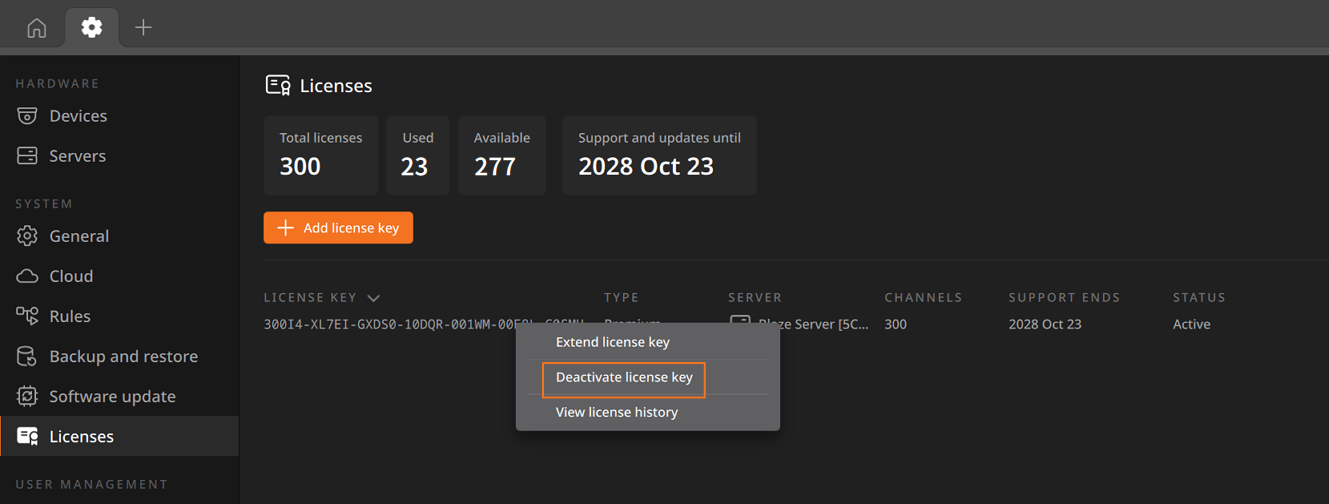
- Select the license to be deactivated from the licenses list.
- Right-click and select Deactivate license key from the shortcut menu.
- In the Deactivate license key dialog, review the license information and then click Next.
- Review the deactivated license information and click Close to exit the dialog.
The license will be removed from the licenses list.