
Deleting a role
Delete a role registered in BLAZE. To delete a role, no users can be assigned to it. If users are assigned to the role you want to delete, change their permissions to another role before deleting.
Note: The default roles in BLAZE, namely Administrator, Operator, and Viewer, cannot be deleted. The option to delete a role is not available on the Role settings panel for default roles.
To delete a role
- Click Settings > Roles.
- Select the desired role from the list of roles.
- Click Delete role at the bottom of the Role settings panel.
- After changing the user assigned to the role to different permissions, click Next→.
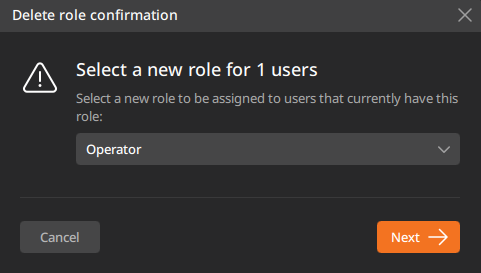
- In the Delete role confirmation dialog, click Delete.