Managing a device
Manage devices added to BLAZE in the View tab.
Viewing a device tree
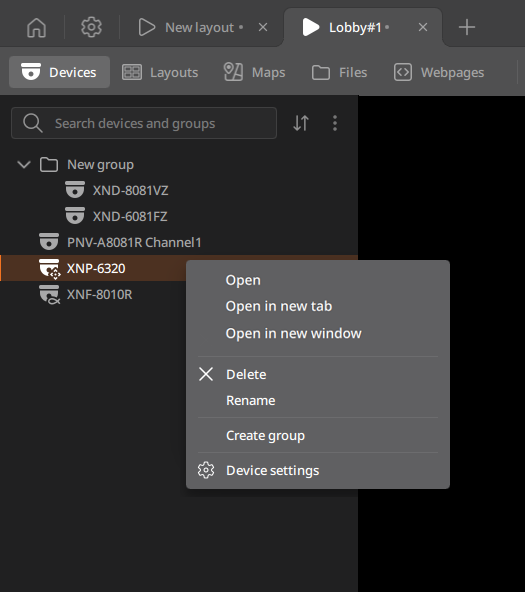
The Devices panel displays a device tree. Hover over a device to see a thumbnail preview.
- In the search bar, enter a camera, server, or group name to quickly find your devices.
 : Sort the list by device name or by recently added devices.
 : Click Show IP to display the IP addresses of all devices in the list, or click Show deleted devices to display deleted devices.
- Select a device from the list and right-click to open the shortcut menu. Use
the shortcut menu to add or manage the device.
- Open: Adds the selected device to a layout.
- Open in new tab: Opens the selected device in the new layout.
- Open in new window: Opens the selected device in a new window.
- Delete: Deletes the selected device.
- Rename: Renames the selected device.
- Create group: Group multiple devices together. Grouping devices enables adding or managing multiple devices at once on a tile.
- Device settings: Configure detailed settings of the selected device. Device-setting permissions are required.