
Setting fisheye dewarping mode
When a fisheye camera is connected, set the dewarping display mode in the video item. Dewarp video immediately without any additional setup, and choose the desired dewarping mode.
- Right-click the video item and select the desired mode in dewarping mode.
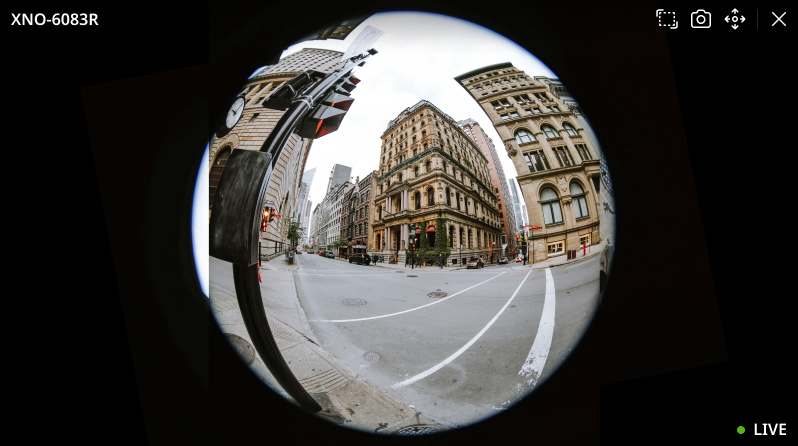
- Regular: Displays the fisheye full view in a circular shape. Use the mouse wheel to zoom in and out of the video, and drag the mouse to move to the desired area.
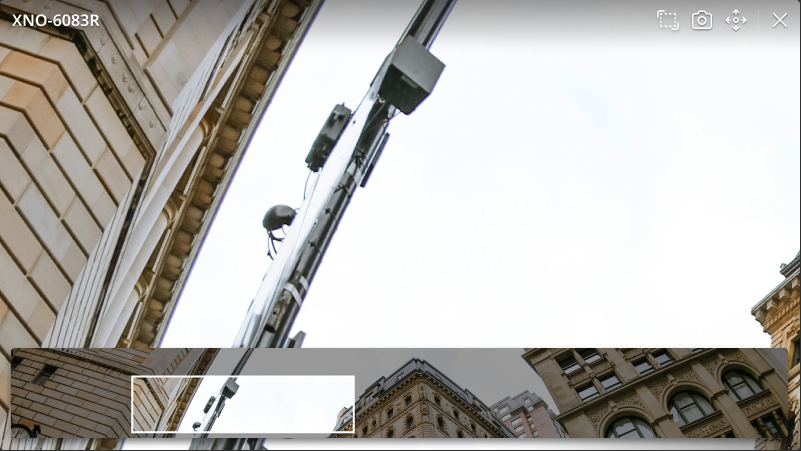
- Panoramic: View fisheye video in panoramic mode, which displays the fisheye video in a rectangular format. By selecting a section in the panoramic view at the bottom of the item, the selected area will be shown in the video.
- Regular: Displays the fisheye full view in a circular shape. Use the mouse wheel to zoom in and out of the video, and drag the mouse to move to the desired area.